


What is Wireless Call Receiver?
A wireless call receiver is a critical component in a variety of communication systems designed to improve efficiency and responsiveness in various settings, including hospitals, restaurants, and assisted living facilities. Essentially, it is a device that is designed to receive signals wirelessly and alert a person or a group of people that they are needed or that an event has occurred.
Why Choose Us
Our Product
Waiter call system; Guest queue system; Nurse call system; Intercom system; Tour guide system etc.
Our Service
We place great value on our customers and strive to provide them with the highest level of service and support. Whether it is during pre-sales, sales, or after-sales, we are committed to meeting and exceeding our customers' expectations in every way possible.
Main Market
Our company's main sales areas are in Europe and North America, and our products are distributed in more than 80 countries and regions around the world.
Our Factory
The company is located in Chongqing, covers an area of 1200 square meters,has 2 production lines, more than 50 employees, to ensure high quality products and efficient service.


What Is a Wireless Call Receiver Used For?
A Wireless Call Receiver is used to receive and process wireless signals transmitted through the air. It converts the electromagnetic waves into electrical signals that can be interpreted and used by electronic devices. Wireless Call Receiver are commonly used in a variety of applications, such as:
Radio and television reception
Wireless receivers in radios and TVs pick up broadcast signals transmitted through the air and convert them into audio and video.
01
Wireless communication
Wireless receivers in devices like smartphones, laptops, and IoT sensors receive data transmitted wirelessly over protocols like WiFi, Bluetooth, or cellular networks.
02
Remote control systems
Wireless receivers in devices like garage door openers, TV remotes, and security systems pick up control signals from handheld remote transmitters.
03
Wireless sensor networks
Wireless receivers collect data from remote sensors distributed throughout an environment and relay that information to a central system.
04
Which Wireless Call Receiver should I choose?
With a WiFi receiver you can stream music via your wireless internet network. You send a stored collection from a mobile device, computer, or network drive to your speakers. The advantage of streaming via WiFi is the strong signal. In addition to a range of 100 meters, you're not bothered by disturbances or interruptions in the music. You send uncompressed audio files via WiFi. This means that streaming doesn't come at the expense of sound quality and your hi-res files sound detailed.
AirPlay uses the same principle as WiFi, but is only intended for Apple devices. You use this protocol to stream music from iTunes to your speakers via an iPhone, iPad, or Mac. The AirPlay function is installed on your Apple device by default. Just like with WiFi, you have a large range of 100 meters. This means that you can operate the speaker from any room in your house. The only condition is that your device and the speaker are connected to the same network. You stream music in CD quality, making every song sound clear.
With Bluetooth, you don't need internet to make a wireless connection. This makes streaming via Bluetooth the simplest solution. Compared to WiFi, Bluetooth has a limited range of 10 meters. The sound is also more susceptible to interference. If you receive an incoming call while streaming with your smartphone, the music is interrupted. Most Bluetooth adapters play music in MP3 quality. If you want to listen to CD quality, you'll need an adapter that supports Bluetooth aptX.
You can send music from a streaming service to a speaker via Bluetooth, but a receiver with an integrated service is a better solution. This is because the adapter doesn't depend on the signal from your smartphone. The adapter uses the internet to makes its own connection to the streaming service, such as Spotify Connect. This means that the sound is always detailed and the signal is less susceptible to interference. You only use your smartphone as a remote control. When you receive a call or leave the room with your phone, the music continues to play without any problems.
You use receivers with multi-room features to link different speakers together. After you've connected each device, you control the speakers with 1 app for your mobile device or computer. With a range of 100 meters, it doesn't matter which room you're in, since you'll always have control over every speaker. Open the menu and choose which song you want to listen to for every speaker. You can put speakers in the same group so that they play the same music at the same time. As you walk through your house, you'll never miss a moment of your favorite song.
Who Are Call Buttons For?
Diversity Circuitry
Diversity is all about reception and freedom from dropouts, and most wireless brands tout it as a selling feature. One external sign of diversity is the presence of two antennas on the receiver, although not all dual-antenna receivers have true diversity. Receivers with true diversity circuitry have two separate radio receiver modules, each connected to its own antenna. The signals from the two antennas are monitored and the one receiving the stronger signal is automatically selected. Reception is in part a function of position, and is influenced by the relative locations of the transmitter and receiver. By having two antennas, you reduce the chance of dropouts occurring.
Frequency Agility
Wireless Call Receiver refers to systems that have several frequency paths you can select from. In any given location one frequency may work better than another, and be free of interference from competing signals from other wireless devices. It is a feature that allows easier use of multiple wireless systems at the same time. If more than one band member or presenter is using a wireless system, you need a choice of frequencies.
Automatic Frequency Selection
With this feature, a frequency-agile system selects the frequency automatically. It's a nice feature to have if you need a system with frequency agility as described in the previous paragraphs, because you’ll be resetting your system fairly often. Some high-end systems offer automatic setup of your entire wireless system.
Choosing a Frequency
When purchasing a system (especially one that is not frequency agile), you will be asked to select from several frequency options. These choices are designated by a combination of a letter and a number, but these designations are not standardized from one manufacturer to the next. Each manufacturer has its own system, but the letter usually designates a particular band range for the unit. The second part, the number, refers to a specific frequency within the range specified by the letter. You should choose the letter that works best for your location, and a number that is different from other systems being used alongside yours. For the most part, the frequencies offered will work anywhere in the country.
How To Choose The Right Wireless Call Receiver?
Operating System
When contemplating your wireless device’s operating system (OS), two of the most widely adopted options are Android and iOS.
Cost
Before commencing your search, establish a budget range. Wireless devices are available across a spectrum of price points, making it crucial to define your budget and seek out devices that fall within that financial range.
Available Features
Consider the features and specifications that hold the highest importance for you. Are you inclined towards a top-notch camera, extended battery life, generous storage capacity, or a sizable and vibrant display? Compile a list of your essential features to streamline your choices.
Network Compatibility
Confirm that the wireless device you select aligns with your chosen cellular network. Examine the device’s network bands and verify that they correspond to those supported by your network service provider.
Display Size
Consider the optimal screen size to suit your requirements. Smaller screens offer a more compact design, ideal for one-handed operation, whereas larger screens are better suited for multimedia consumption and productivity tasks.
Users Feedback
Peruse user reviews and feedback for the wireless devices you’re contemplating. It will offer valuable insights into real-world experiences and assist you in assessing the device’s performance, dependability, and user contentment.
Customer Support
Factor in the brand’s reputation and the post-purchase support provided by the manufacturer. Choose well-regarded brands with a reputation for quality and vital customer service to guarantee a favorable ownership experience.
Storage
If you need more storage capacity, explore wireless devices that provide expandable storage alternatives, such as microSD card slots or access to cloud services.
Future Proof
Take into account the durability and future-proofing of your wireless device. Seek out devices that receive regular software updates and are compatible with emerging technologies, ensuring that your device remains up-to-date and relevant in the long run.
How To Use Wireless Call Receiver


Call operation: Press the call button on the remote control to talk to the host. During the call, you can adjust the volume, select the call object, etc.
Remote control: Through the buttons on the remote control, you can remotely control the functions of the host, such as turning on or off home appliances, adjusting the brightness of lights, etc.
Voice message: When you need to leave a message, just press the message button and say the message content. The message content will be automatically saved in the host for you to listen to at any time.
Receive notification: When there is an incoming call or message, the host will sound a prompt and display the notification content on the screen. You can judge the object of the call or message based on the prompt tone or the screen display content.
Reject call and delete message: When you don’t want to answer a call or receive a message, you can press the reject button; if you want to delete a received message or message, you can operate through the menu options.
Check the power and signal status: You can check the current power and signal reception status on the host screen. When the battery is low, please charge it in time; if the signal reception is poor, please check whether the signal receiver is correctly installed or adjusted.
Family call: By setting the family number function, you can easily make quick calls with your family. Just enter the other party's number on the host and save it, and you can quickly dial when needed.
Call record query: The host will automatically save all call records, and you can view or delete these records at any time as needed.
Remote control battery replacement: When the remote control battery is low, please open the back cover of the remote control and replace the battery. Please pay attention to whether the positive and negative poles are correctly installed.
Host maintenance and cleaning: Wipe the host shell with a clean cloth regularly to keep it clean; avoid exposing the host to humid or high temperature environments; do not drop the host or subject it to strong impact.
Troubleshooting and solution: If you encounter a problem that cannot be solved, please refer to the troubleshooting section in the product manual or contact the after-sales service department for help.
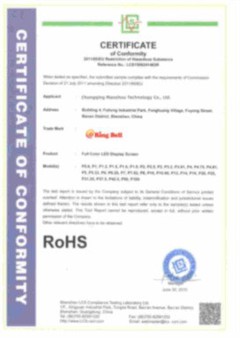
Certifications



Our Factory
Chongqing Maozhou Technology Co., Ltd. is a professional manufacturer engaged in the research and development, production, sales and service of wireless call system. The company is located in Chongqing, covers an area of 1200 square meters,has 2 production lines, more than 50 employees, to ensure high quality products and efficient service. All our products meet international quality standards and are greatly appreciated in a variety of different markets around the world. The main products are: restaurant guest paging system, hospital nurse paging system, meal call number system, floor and lift paging system, factory and other single call button (transmitter), receiver and so on. In addition, we also provide OEM and ODM services and other complete wireless calling solutions. We believe that scientific management, superb technology, strict quality control, considerate service is our core advantage. We look forward to your contact and cooperation!

FAQ
We're well-known as one of the leading wireless call receiver manufacturers and suppliers in China. Please feel free to buy high-grade wireless call receiver for sale here from our factory. All customized products are with high quality and competitive price.
Wireless Waiter Touch Call System, calling display, wireless waiter call button system